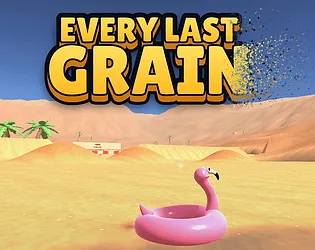
How to Play Every Last Grain — Controls & Beginner Guide
Every Last Grain has one verb: dig. Everything else — selling, upgrading, finding buried objects — is built on top of that one action.
Controls
| Action | Key |
|---|---|
| Move | W A S D |
| Look | Mouse |
| Dig (hold) | Left mouse button, or hold E |
| Use / Confirm | E |
| Sprint | Shift |
| Sandstorm | Q |
| Journal | J |
| Pause menu | P (not Esc — Esc exits fullscreen in a browser) |
The developer recommends mouse and keyboard, fullscreen, on a desktop. Left mouse and E both dig — swap hands during long sessions to avoid fatigue.
Starting a Run
When you load in, you are standing beside the camp with a spoon in your hand. The desert lot stretches out in every direction. Walk to any sand pile, hold the dig button, and watch the kilogram counter climb.
"The new owner wants the desert gone. He pays by the kilo. Cash."
That is the entire brief. No tutorial, no waypoints.
The Core Loop
- Dig — hold left mouse / E at a sand pile until it empties
- Sell — the buyer pays automatically by the kilogram; watch the cash counter
- Upgrade — open the shop (walk to the Supply Terminal) and buy better tools
- Repeat — better tools empty piles faster, so each upgrade compounds
What to Buy First
Buy carry capacity (bigger bag) before tool speed. The bottleneck early on is hauling, not digging — a larger bag means more cash per trip, and more cash per trip compounds faster than any tool upgrade.
After the bag upgrade, go for reach (Nozzle Width). Wider reach clears a pile in fewer sweeps. Tool speed (Turbine Vacuum) comes after that.
The Sandstorm
Once the Lot Edge is fully cleared, press Q to trigger a sandstorm. The desert fills back up, and the next round pays a higher multiplier — ×1.5 for round two, rising to ×3 by round three. Replaying fast clears is more efficient than grinding one long session.
The Journal
Press J to open the journal. It shows your find count (of 14), your achievements, and the area list. The Lot Edge is the only playable area in the current demo.
Tips for Beginners
- Empty one pile at a time. A single leftover pile keeps the whole area from registering as cleared.
- Lower your mouse sensitivity in the pause menu (P). Precise, slow sweeps empty piles faster than fast camera swings.
- Play fullscreen. The first-person view is built for it. Fullscreen button is just below the game.
- Watch kg/s, not the total. The rate tells you whether a new tool is worth buying right now.
- Don't skip the bag upgrade. It pays for itself in the first two trips after you buy it.